
Download Express Accounts Plus – accounting software, small business accounting, financial management, bookkeeping, expense tracking, income reporting, financial reports
Overview
Express Accounts Plus is a comprehensive Windows-based accounting software designed to support business owners in managing all aspects of their financial operations. The application provides tools for tracking clients, income, expenses, salaries, and payments, making it a central hub for financial oversight. Its primary purpose is to enhance financial control by offering structured systems for data entry, categorization, and reporting. This makes it particularly valuable for small to medium-sized enterprises seeking to streamline their bookkeeping processes and maintain accurate financial records.
By generating detailed financial reports, Express Accounts Plus enables users to present data professionally to stakeholders, auditors, or investors. These reports contribute to transparency and accountability, which are essential for long-term business sustainability. The software addresses common challenges such as disorganized records, missed payments, and lack of insight into financial performance. Its functionality supports real-world use cases including monthly financial reviews, tax preparation, budgeting, and client invoicing.
Developed by NCH Software, the application is positioned within the business category as a dedicated financial management tool. Although the developer did not provide additional technical details about the company’s background or history, the software’s focus on accuracy, structure, and reporting reflects a professional approach to accounting needs. For business owners who require reliable financial tracking and documentation, Express Accounts Plus offers a robust solution within the Windows ecosystem.
Key Features & Functionality
- Client Management: The software allows users to add, edit, and track client information efficiently. This feature supports the creation of detailed client profiles, helping maintain clear records of interactions, outstanding balances, and payment histories. Real-world use includes managing recurring clients and ensuring timely invoicing.
- Expense Tracking: Users can input and categorize business expenses such as salaries, utilities, office supplies, and vendor bills. This enables precise monitoring of spending patterns and supports cost optimization strategies. For example, a business owner can identify recurring high-cost items and explore alternatives.
- Income Reporting: The application compiles data from various income sources into structured reports. These reports can be customized, printed, or exported for sharing with partners, accountants, or financial institutions. This feature is essential for assessing revenue trends and planning future growth.
- Financial Reports Generation: Express Accounts Plus produces a range of financial documents, including profit and loss statements, balance sheets, and cash flow reports. These outputs are designed for external presentation and compliance, offering a professional format suitable for audits or investment discussions.
- User-Friendly Interface: While the initial setup may present a learning curve, the interface is logically organized and becomes intuitive with use. Navigation is structured around core financial tasks, allowing users to access key functions without unnecessary complexity. Over time, this contributes to improved workflow efficiency and reduced data entry errors.
Interface, UX & Performance
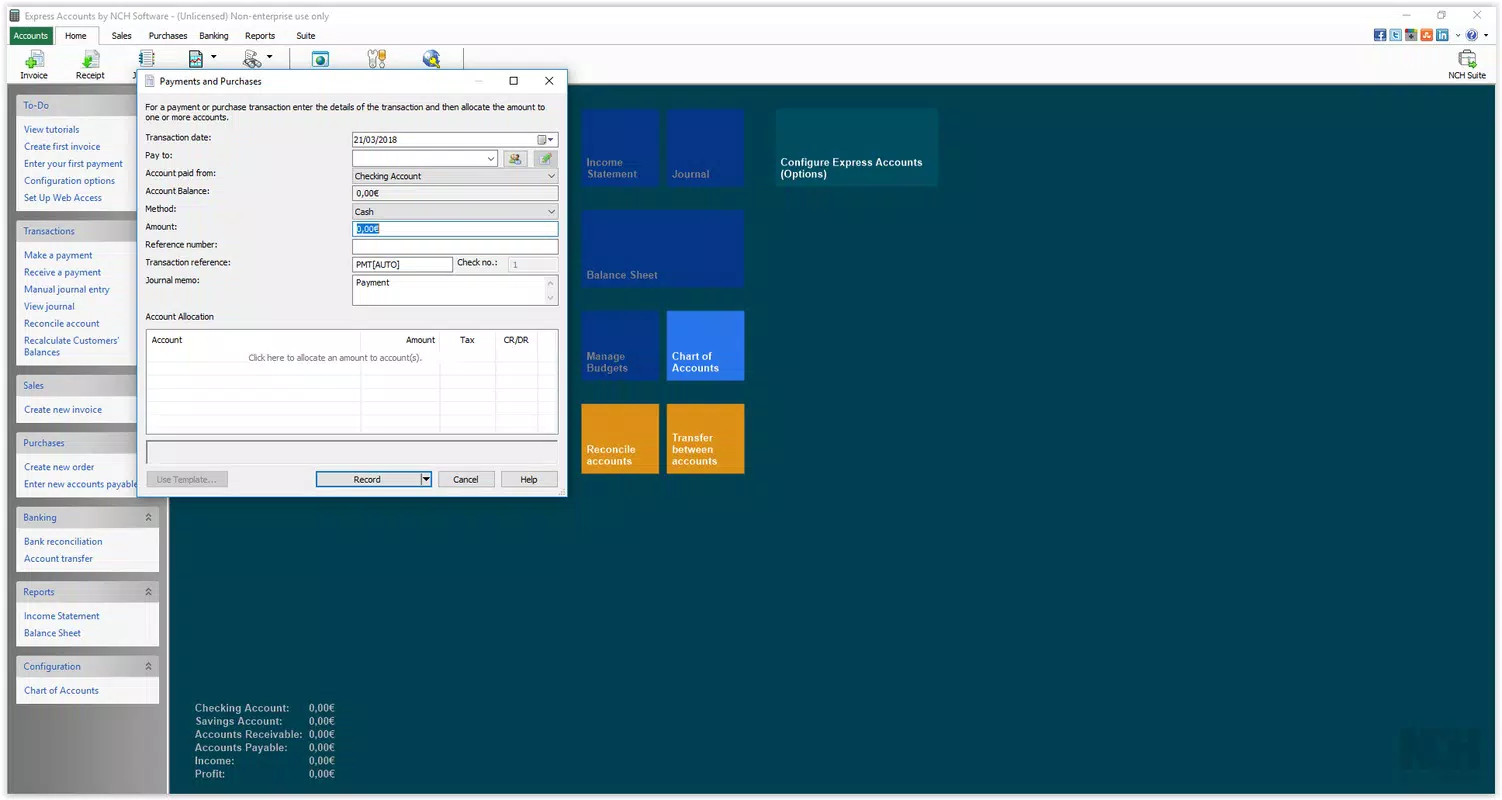
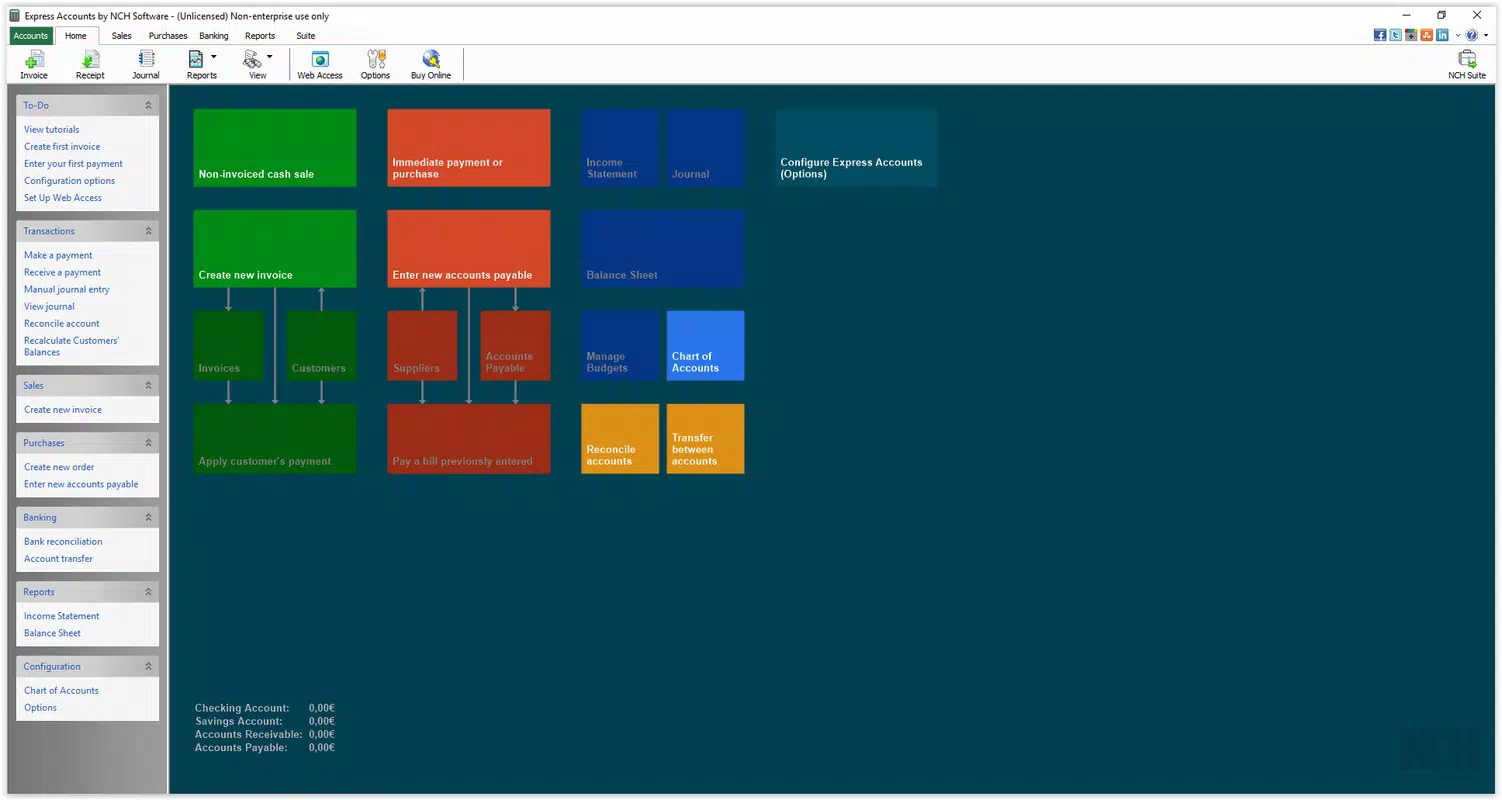
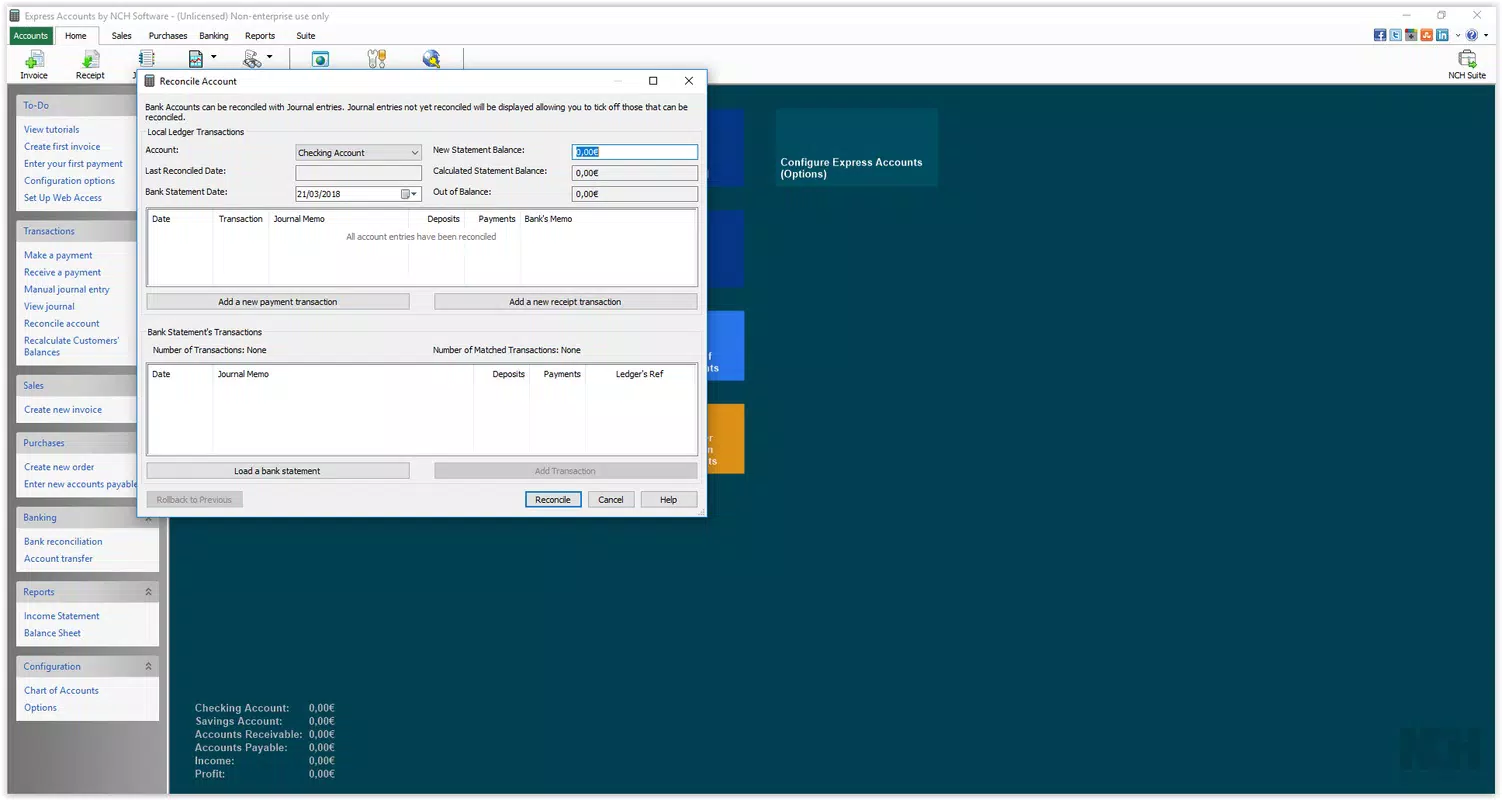
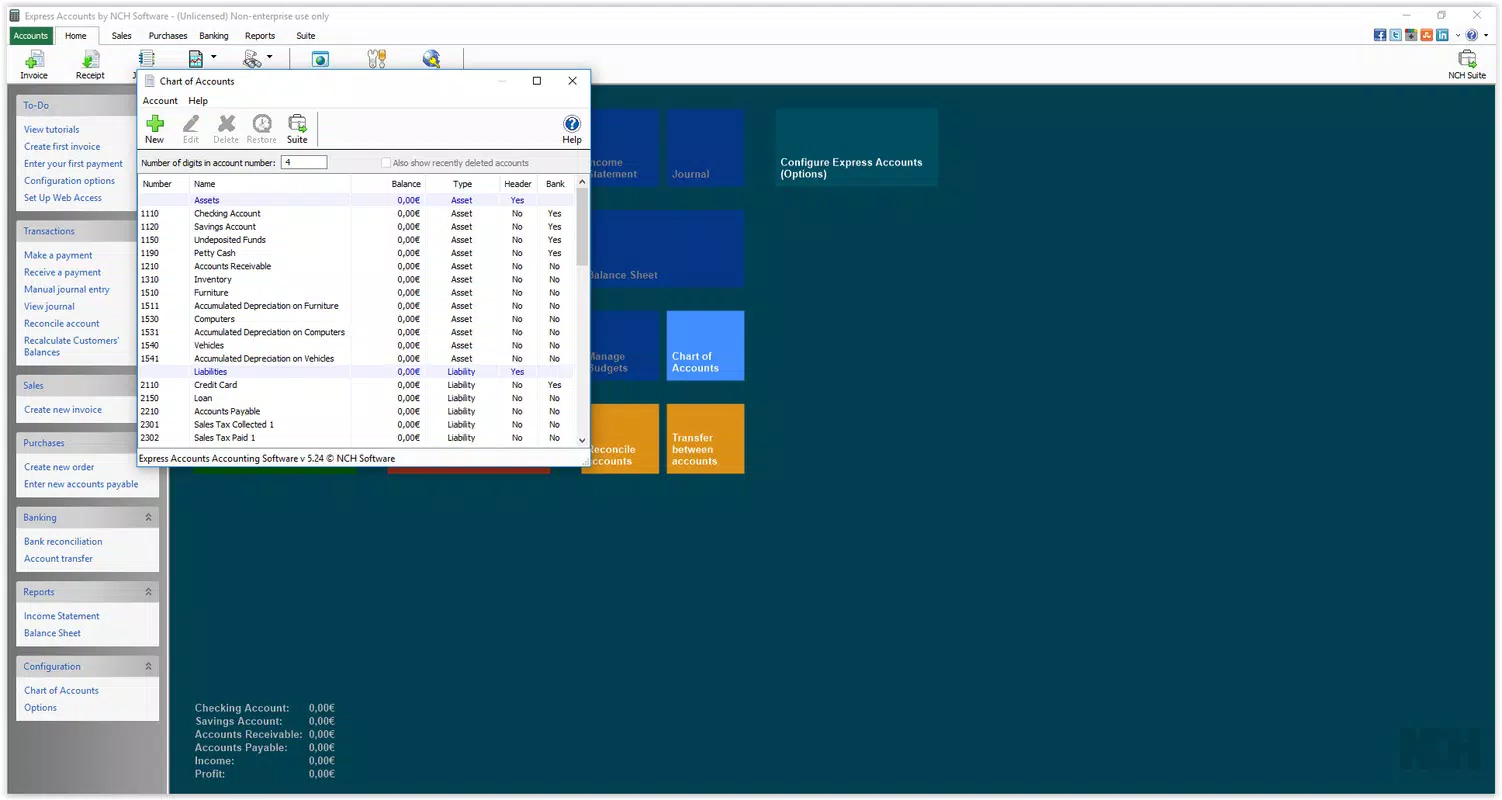
The user interface of Express Accounts Plus is designed with functionality and clarity in mind. It features a structured layout with clearly labeled menus, toolbars, and data entry fields. Visual elements are minimal but effective, focusing on usability rather than decorative design. Navigation is linear and consistent, allowing users to move between modules such as client management, expense tracking, and report generation with predictable workflows.
Although the developer did not list formal performance metrics, the application operates smoothly on standard Windows systems, with responsive interactions and minimal lag during data entry and report generation. Stability appears consistent across different device categories, though specific requirements were not disclosed. The software maintains data integrity during sessions and does not exhibit frequent crashes or freezes.
Responsiveness is maintained even when handling moderate volumes of financial data. Users can expect timely feedback when saving entries or generating reports. The interface adapts to screen resolutions commonly found on desktop and laptop computers. Overall, the user experience improves with familiarity, making the software accessible to users who invest time in learning its systems.
Platform Compatibility & Technical Requirements
Express Accounts Plus is designed exclusively for the Windows platform. It is compatible with Windows operating systems, though specific version requirements were not listed by the developer. The application has a file size of 10.0 MB, indicating a lightweight footprint that should not strain system resources on modern machines.
Given the small size and focus on desktop use, the software is likely optimized for standard Windows environments. However, the developer did not specify minimum OS requirements, hardware specifications, or compatibility with older versions of Windows. As such, users should verify system compatibility before installation. No information was provided regarding support for touch interfaces, accessibility features, or cloud synchronization.
Pros and Cons
Pros
- Comprehensive financial tracking for clients, income, and expenses
- Professional-grade financial reports for external use
- Structured interface that becomes intuitive over time
- Lightweight file size suitable for standard Windows systems
- Designed for small business financial management with scalability
Cons
- Initial learning curve may deter new users
- No information provided on minimum OS or hardware requirements
- Exclusive to Windows; no support for mobile or cross-platform use
- Price point of $49.95 may be high for very small or solo entrepreneurs
- Limited details on updates, support, or integration options
FAQ
Is Express Accounts Plus available for mobile devices?
The application is designed for Windows only. There is no official mobile version available at this time.
Can I use Express Accounts Plus for tax preparation?
Yes, the software generates detailed financial reports that can be used to support tax filings and financial disclosures.
How secure is the data stored in Express Accounts Plus?
The software stores data locally on the user’s device. While no encryption details were provided, standard Windows file security practices apply.
Are updates regularly released for Express Accounts Plus?
Information about update frequency was not disclosed by the developer. Users should check the official website for the latest version.
Does Express Accounts Plus support multiple users?
The developer did not specify whether the software supports multi-user access or shared workspaces.
Final Thoughts
Express Accounts Plus stands out as a focused and capable tool for small business owners who need reliable financial management on Windows. Its ability to track clients, manage expenses, report income, and generate professional reports makes it a valuable asset for maintaining financial discipline. While the initial setup may require some time to master, the structured interface rewards users with improved efficiency and clarity.
Businesses that prioritize accurate record-keeping, transparency, and professional reporting will benefit most from this software. Despite its lack of mobile support and limited public information on system requirements, its core functionality remains strong and purpose-built. For those seeking a dedicated desktop accounting solution, Express Accounts Plus offers a solid value proposition.
Download Express Accounts Plus now


